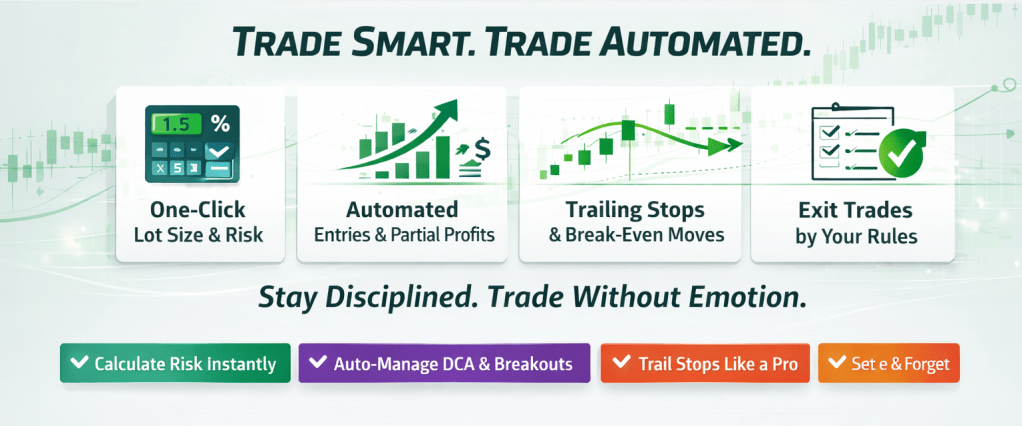
MT4 Trade Manager EA
Disciplined execution
•
Less emotion
•
Better timing
Less overtrading
•
Cleaner journal review
Let MT4 Trade Manager EA make live execution reliable
Backtests don’t include emotion, hesitation, spread/slippage, or news spikes. This EA helps you execute live trades more like you tested—with consistent risk and rule-based management.
Why I built MT4 Trade Manager EA
I built this EA to trade on time and by plan — without staring at charts all day. When I watch every candle, I start reacting emotionally: I overtrade, hesitate, or stack too many positions.
-
This EA helps me stay consistent by:
- ✅ Keeping risk clear and controlled on every trade.
- ✅ Reducing impulse decisions (hype to trade more, fear to enter).
- ✅ Managing positions smarter: trailing stop, break-even, partial closes, and fast open/close actions.
- ✅ Protecting me from avoidable situations like news spikes and swap/spread surprises.
- ✅ Managing charts faster with one-click save/open chart layouts for a cleaner, more efficient workspace.
- ✅ Making journal review effortless with trade details and notes right on the chart.
All your trade management in one MT4 EA
MT4 Trade Manager EA brings your key trading tools into one place: risk sizing, DCA entry, breakout tools, trendline entry/exit, watchlist, and more.
Browse the features below — click each section to expand for details, live examples, and tutorials.
| MT4 Trade Manager Functions | Details |
|---|
I. Risk Management
| 1. Auto Calculating Trade Volume, Lotsize – EA calculates lot size based on your risk amount (in dollars or % of balance). | Details |
| 2. Set R:R for Take Profit – EA auto-sets your TP level based on your desired risk-to-reward ratio (e.g. R:R = 1:2). | Details |
| 3. Avoid overtrading (protect your account) – EA warns or blocks new trades if your total open risk exceeds a set threshold (e.g. > 6%), helping you stay within safe risk limits. | Details |
| 4. Close Trade by Timer (Before News or Day-End) – EA automatically closes trades at your defined time to avoid high volatility (e.g. news events or end-of-day spread spikes). | Details |
| 5. The Day Limit feature enforces discipline by eliminating overtrading and revenge trading, ensuring a normal trading day doesn’t turn into a series of emotional, unplanned trades. | Details |
II. Entry Management
| 5. Setup Stoploss in the simplest way – Set SL directly on the chart, similar to TradingView — fast and visual. | Details |
| 6. Market and Pending Entries – Easily place market, limit, or stop orders with simple visual controls (like TradingView). | Details |
| 7. Bunch of Limit Orders – Place multiple limit orders at once. Super convenient for traders using laddered entries or DCA strategies. | Details |
|
8. Horizontal line Break Out Entry – Timely enter the market automatically when price breaks a key horizontal level (close above/below your chosen price). Never miss a strong breakout. |
Details |
|
9. Trend Line Break Out Entry – Automatically enter when price breaks your drawn trendline (above or below). Ideal for breakout or trendline traders. |
Details |
III. Trade Management
| 10. Take Partial Profit –– Set a profit target based on R:R or a specific price level. Once reached, the EA will automatically close part of your position (e.g. 50%) to lock in profits. | Details |
| 11. Early Exit (Horizontal Line) – Define a key level where, if price breaks through, it could move further against your trade. EA will close Buy if price breaks below, or Sell if price breaks above this level. | Details |
IV. Close Trade Your Ways (Maximize profit)
|
12. Close Trade by Moving Average – EA will close your Buy trade if price closes below the EMA line (e.g. EMA20), and reversely for Sell trade — effectively following the trend direction for each side. |
Details |
| 13. Close Trade by MACD Cross – EA closes your position when the MACD line crosses its signal line (e.g. MACD 20, 50, 10). | Details |
| 14. Close Trade by Trend Line – EA closes the trade when price breaks your drawn exit trendline. Works for both Buy and Sell — powerful for trendline strategies. | Details |
| 15. Close Trade by Candle Trail – EA closes your trade when it detects a reversal pattern (e.g. engulfing candle). | Details |
| 16. Close Trade by MW (MACD based) – EA closes your Sell trades when a W pattern is detected, and your Buy trades with an M pattern. | Details |
V. Auto Trailing Stop Loss (Protect your profit)
| 17. By Moving Average – EA adjusts your stoploss along a chosen EMA line (e.g. EMA20, EMA30) as price moves. | Details |
| 18. By ATR – EA trails your stoploss using the ATR value, e.g. ATR(14,2) for dynamic volatility-based movement. | Details |
|
19. Trailing StopLoss by Previous Lowest/Highest candle’s wick – EA moves your stoploss just above the highest wick of the last few candles (e.g. last 5 for Sell), or just below the lowest wick for Buy. |
Details |
| 20. Regular Trailing StopLoss – When your trade reaches a set profit (e.g. 30 pips), EA trails stoploss a fixed distance behind (e.g. 20 pips). | Details |
VI. Break Even (No Loss Game)
| 21. Instant One-Click Break Even – Move SL to entry instantly with one click. | Details |
| 22. Break Even by R:R – Auto move SL to entry when target R:R (e.g. 1:1) is reached. | Details |
| 23. Break Even by Pips – Set a target profit in pips (e.g. 30 pips); once the trade reaches this level, the EA will automatically move your stoploss to the entry price. | Details |
| 24. Break Even by Price – Set a target price; once the trade reaches this level, the EA will automatically move your stoploss to the entry price. | Details |
VII. Other Cool Utilities
| 25. Direct review journal on charts (essential): Review entry, exit, TP, SL, and comments of each trade to track if you followed your strategy — learn and improve from every trade. | Details |
| 26. One click to close trade: quick way to close 50% or 100% position. | Details |
| 27. One click to Save and load chart setups instantly — no need to navigate through the template menu each time. | Details |
| 28. Watch List: Add or remove your favorite pairs to a watchlist. One click to open them on the chart — helps you easily stay focused on your key trading pairs. | Details |
Who is MT4 Trade Manager EA for?
✓ Discretionary traders who want to execute their plan without emotions and keep risk under control.
✓ Swing & intraday traders who use DCA, laddered limit orders, breakouts, or trend-following entries and want the EA to handle the mechanics for them.
✓ Traders who are tired of doing lot-size math, moving stoploss lines, and managing multiple pairs by hand.
✓ Risk-conscious traders who want clear daily / per-trade limits so they don’t overtrade or blow up a good week with one bad decision.
✓ Busy traders who want one tool to size trades, manage entries, trail stops, move to breakeven, and close trades by rules they define.
✓ Newer traders who already have a basic strategy and want strong discipline & structure (risk %, break-even, journal, etc.) built right into MT4.
Common Questions
Click a question below to reveal the answer.
Q1. Is this an auto-trading robot, or do I still need my own strategy?
No. MT4 Trade Manager EA does not generate signals or strategies on its own.
You still use your own analysis, indicators, or trading system to decide when to enter.
The EA’s job is to execute and manage the trade exactly according to your rules, without hesitation or emotion.
It is built for traders who already have an approach (price action, indicators, SMC, etc.) and want the boring parts
automated so they can focus on reading the market.
Q2. Which markets and timeframes does it work on?
It works on any symbol your broker offers on MT4: forex, gold, indices, and crypto CFDs.
Timeframe is flexible — you can use it on M1 scalping, H1 swing trades, or even D1 position trades.
The logic is price-based, not timeframe-locked, so you can adapt it to your style.
Q3. Will it change my indicators or chart setup?
No. The EA only manages orders and trade logic. Your indicators, templates, and chart analysis stay the same.
You can even keep using your favourite layouts and tools — the EA sits on top to handle execution and management.
Q4. Will it slow down MT4 or conflict with my other EAs/indicators?
The EA is lightweight and designed to run alongside your normal chart setup. For best practice, run one Trade Manager EA
per account / main chart and let it manage all trades from that terminal, while other indicators or EAs do their own work.
As long as other EAs aren’t trying to modify the same orders with conflicting rules, they can coexist.
Q5. What happens if MT4 closes or my internet disconnects?
All active orders, SLs, and TPs that were already sent to the broker stay on the server, so your trades are still protected.
While MT4 is offline, the EA simply can’t adjust things (trail stops, move to BE, partial close, etc.).
When you reopen MT4 and the EA is loaded again, it will continue managing any open trades according to your settings.
Q6. Is there a free version or trial?
Yes. You can download a free trial version of MT4 Trade Manager EA and also request a 3-month trial license
on a real trading account. All links are available on the homepage and feature pages of
trade-managers.com.
Q7. Can this EA guarantee profits or pass prop evaluations?
No tool can guarantee profits. MT4 Trade Manager EA is designed to help you follow your rules, size risk correctly,
and avoid emotional mistakes. Your results still depend on your strategy, discipline, and market conditions.
Always trade with money you can afford to lose.
Q8. I have a great indicator that gives me entry & exit signals. Can it work together with this EA?
Yes — it can be integrated. If your indicator exposes buffers, arrows, Global Variables, or writes to files,
MT4 Trade Manager EA can be extended to read those buy/sell signals, automatically open trades when the indicator fires,
and then manage them with all EA features (risk-based lot size, stoploss, trailing, break-even, partial profit, etc.).
You can contact the developer with details of your indicator to discuss integration.


 MT4 Trade Manager EA