Free License available – Click Here
Are you interested in using the MACD indicator for trading? MACD is a popular tool used by technical traders to identify entry and exit points for trades in various markets such as stocks, bonds, commodities, and FX. Traders use MACD to identify when bullish or bearish momentum is high, helping them to make informed decisions on when to enter or exit trades.
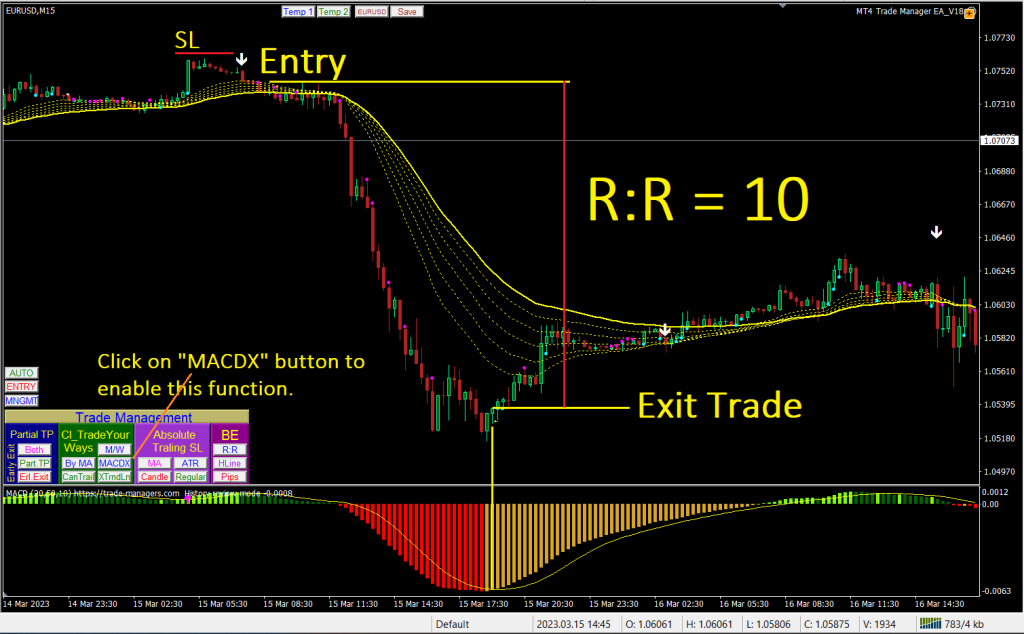
Target of this function:
– For a Buy order: Once MACD crosses Down, EA will close the trade.
– For a Sell order: Once MACD cross Up, EA will close the trade.
Set up this function: it is simply to click on “MACDX” on the “Trade Management” dashboard as above image.
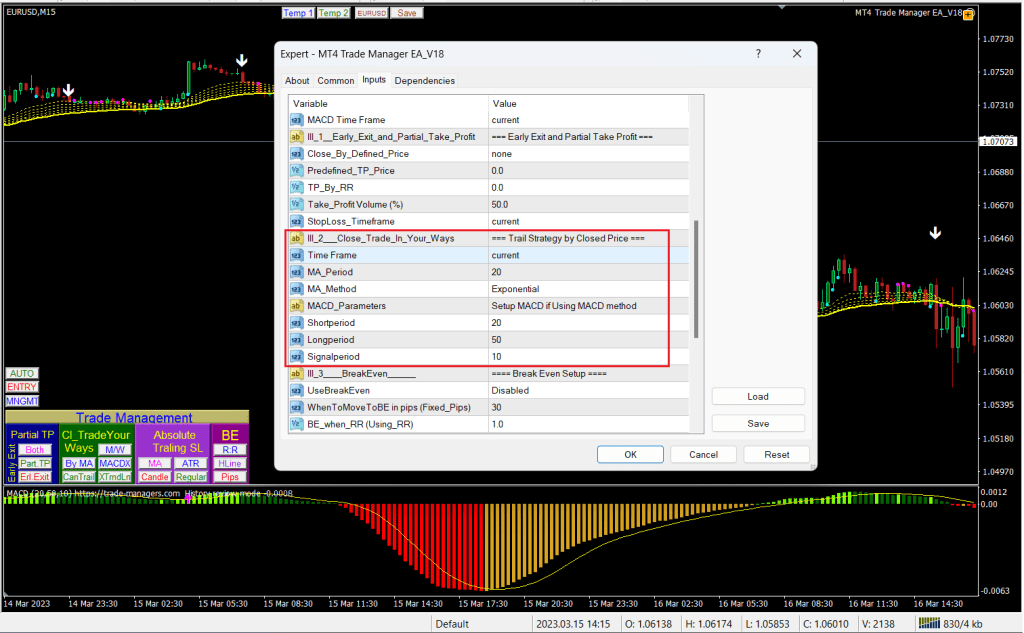
To adjust MACD parameters such as Fast MA, Slow MA and Signal Period, let press F7 to open EA properties, then scroll down to find the parameters.
When it comes to exiting trades, the MACD can be particularly useful. By watching for MACD crossovers, traders can exit their positions in a timely manner to minimize losses and extend profits. This method is best suited for trendy markets.
Fortunately, the MT4 Trade Manager can help traders automate their trading process by using the MACD to close trades automatically. This means that traders no longer need to spend all day at their trading desk manually exiting trades. Instead, they can spend their time on other daily tasks such as work, spending time with family, or pursuing hobbies.
It’s important for traders to identify the MACD parameters that work best for them based on the historical data of a particular currency pair and time frame. Once the most suitable MACD parameter is identified, traders can apply it to their trades and take advantage of its benefits.
Thanks for reading !
Back to Welcome || Previouse Page || Absolute Trailing Stop
 MT4 Trade Manager EA