Free License available – Click Here
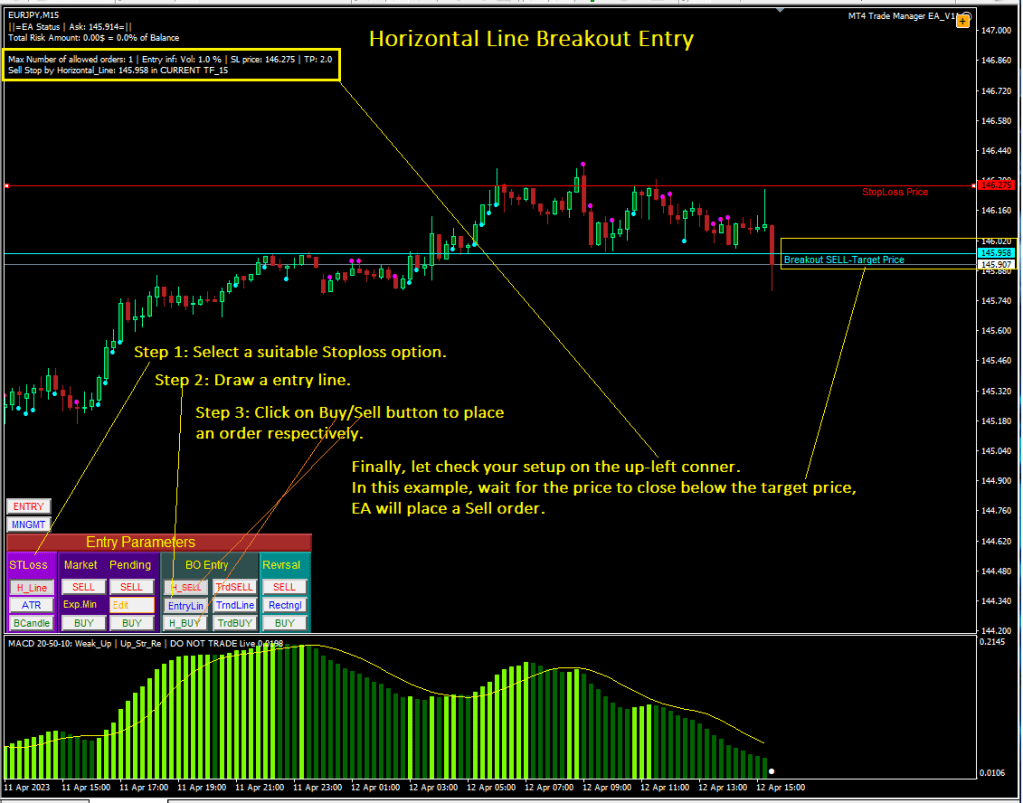
Hereafters are steps to setup for a Horizontal line breakout entry on the EA (refer above screenshot):
Step 1: Select a suitable Stoploss Option.
Step 2: Click on “EntryLin” button to draw an entry line, then move it to a target entry price.
Step 3: Click Buy/Sell to enable a waiting Buy/Sell order accordingly. Now, traders can leave their trading desk, EA will automatically place an order as soon as price closes above/below the target price for a Buy/Sell order respectively.
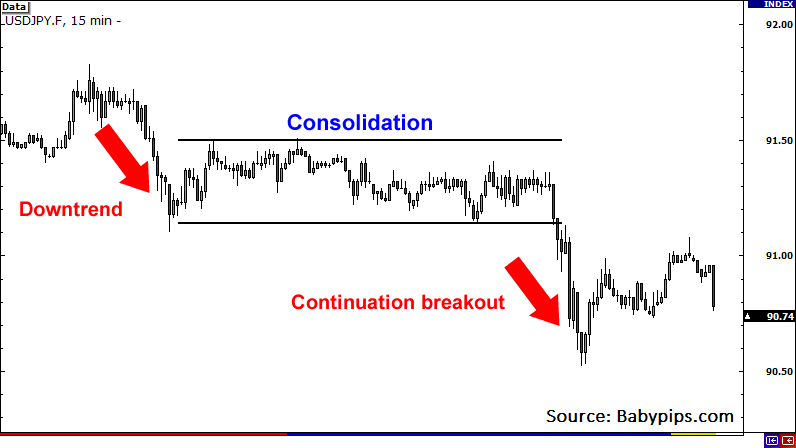
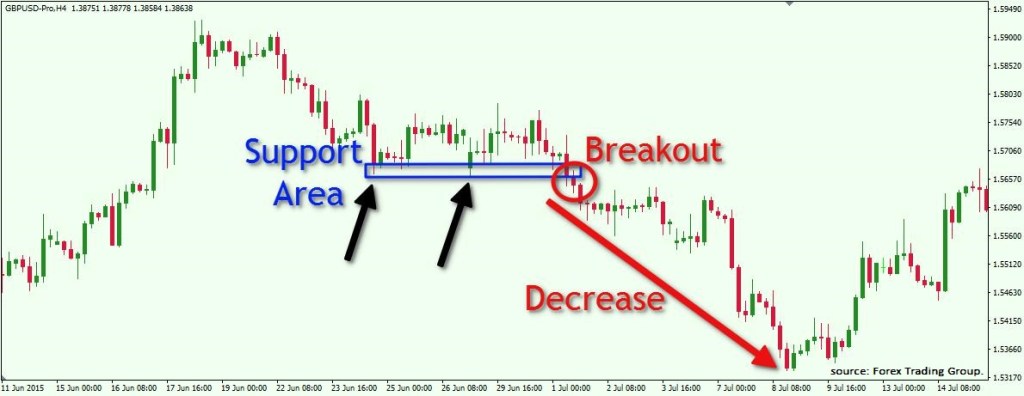
There are a wide range of Breakout entry strategies can be found on Google, below is a leaf in a forest for your reference.
Do not hesistate to get MT4 Trade Manger EA free here.
Thanks for reading !
Back to Welcome || Back to Entry Dashboard || Next to “Trend Line BO Entry“
 MT4 Trade Manager EA